
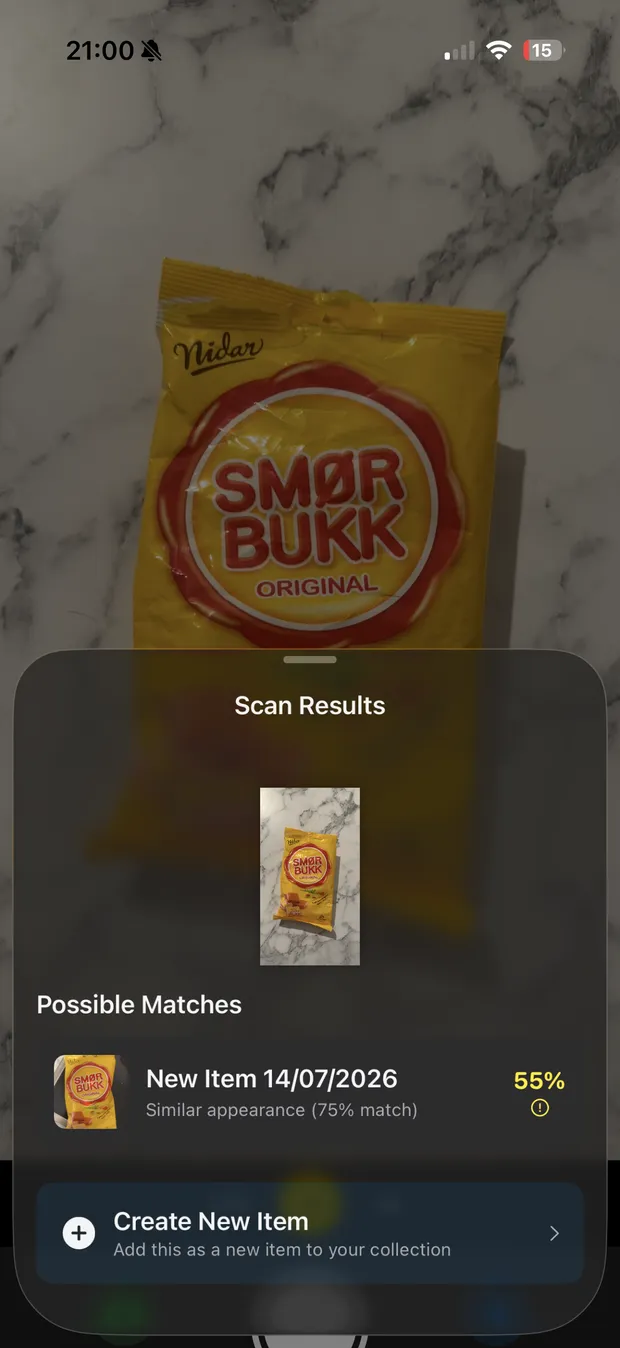
Recognizes items, not just words.
OCR, barcode scanning, and on-device matching. RateBud reads the label, matches what you've rated before, and even suggests a clean product name from the detected text. All on device; nothing leaves your phone.
iPhone & iPad · Free with Pro upgrade
Your private rating journal for coffee, wine, and everything you try.
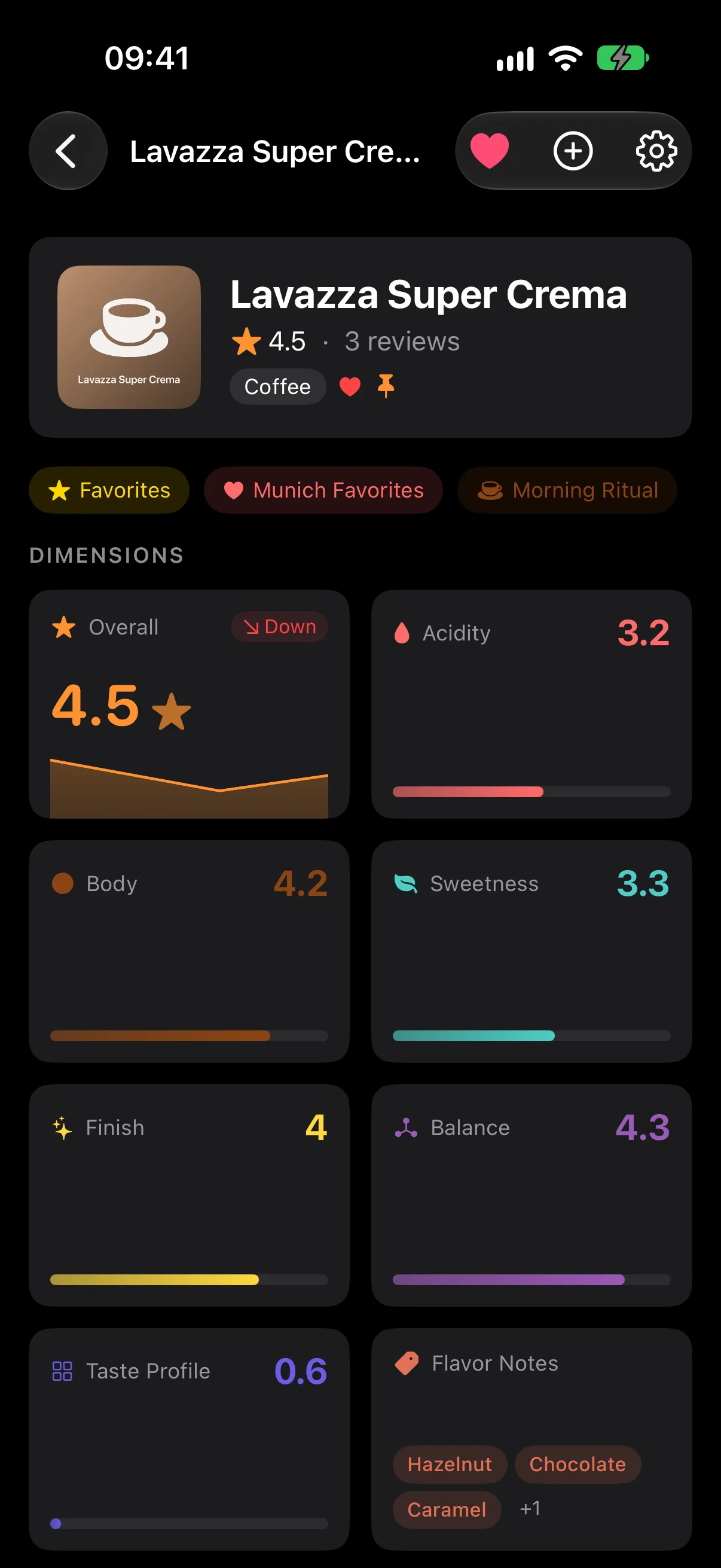
Scan a coffee bag, a bottle, or a book. Save a rating and a few notes, then find your verdict next time you're choosing. Rate the same item again to see how your taste changes. Scan. Rate. Revisit.
How it works
Point your camera at any item. On-device vision reads the label, barcode, and shape — no typing, no typos.
Drag across the stars for a smooth, half-star-precise rating with haptic feedback. Add a note, and you're done.
Next time you see it, RateBud reminds you what you thought. Rate it again and watch your verdict evolve.
Loved that Ethiopian roast back in March? Scan the bag again today and RateBud pulls up what you gave it last time — so you can tell whether it still holds up.
What it does
OCR, barcode scanning, and on-device matching. RateBud reads the label, matches what you've rated before, and even suggests a clean product name from the detected text. All on device; nothing leaves your phone.
Rate the same thing more than once and RateBud draws the trendline — acidity shifts, preferences drift, favorites hold up. On-device AI reads your own notes to surface overall sentiment and key themes. Pro adds advanced insights like rating-distribution breakdowns.
Favorites comes free. With Pro, build your own lists — "To Try", "Cellar", "Re-read" — each with its own icon and color. Smart collections update themselves by rule: Top Rated, Needs Re-review, most reviewed, and more.
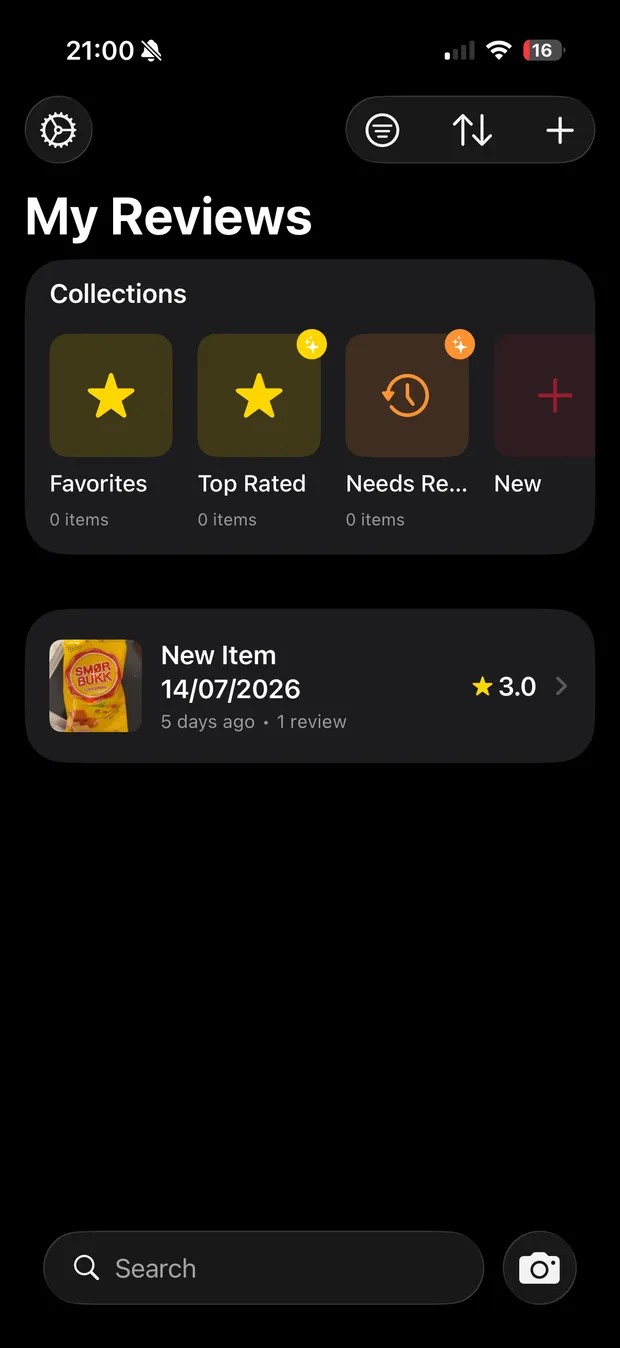
One star doesn't capture everything. Add your own dimensions — numeric scales for body or sweetness, tag chips for flavour notes, yes/no toggles like "Would buy again", and 2D taste maps you drag a point across. Start from 11 presets: coffee, wine, whiskey, books and more.
"Hey Siri, rate Kenya AA four stars in RateBud." Siri Shortcuts, Spotlight, and the Action Button on iPhone 15 Pro+ all work — your ratings are a tap or a sentence away.
Pricing
The core rating and scanning tools are free forever. Pro adds the tools serious reviewers reach for — advanced insights, custom collections, custom rating dimensions, 2D taste maps, and filtered export.
| Feature | Free the essentials | Pro the full journal |
|---|---|---|
| Unlimited items & reviews | ✓ | ✓ |
| 1–5 star ratings with half-star precision & notes | ✓ | ✓ |
| Camera scanning — barcode & text recognition | ✓ | ✓ |
| iCloud sync across your devices | ✓ | ✓ |
| Favorites collection | ✓ | ✓ |
| Rating trends & averages | ✓ | ✓ |
| On-device smart titles & review summaries | ✓ | ✓ |
| Siri Shortcuts & Spotlight | ✓ | ✓ |
| CSV export | ✓ | ✓ |
| Advanced insights — rating distribution & breakdowns | — | ✓ |
| Custom rating dimensions & 2D taste maps | — | ✓ |
| Custom collections | — | ✓ |
| Smart auto-updating collections | — | ✓ |
| Filtered export — by date, category & rating | — | ✓ |
Choose a Pro plan
Monthly
€1.49/ month
Cancel anytime
Best value
Yearly
€9.99/ year
≈ €0.83/month · save over 40%
Lifetime
€29.99one-time
Pay once — about 3 years of Yearly
Start free — upgrade in the app anytime. Already Pro? Restore Purchases in the app.
Upgrades happen inside the app via the App Store. No account, no credit card on this website. Prices vary by region and are shown in the App Store before you buy.
FAQ
Free to download, free to use. Pro when and if you want it.
Download on the App Store