
iPhone & iPad · Free with Pro upgrade
Your coffee tasting journal, always with you.
Remember the beans you loved and how each cup tasted.
Scan a coffee bag or add it by hand. Give it a rating, save your tasting notes, and keep each new tasting with the same coffee. Next time you're buying beans, your own verdict is waiting. Scan. Rate. Revisit.
- On-device
- No accounts
- No ads
- No tracking
A journal for your own taste
Keep the notes you’ll use next time.
You don’t need a perfect tasting vocabulary to remember a good coffee. A rating and a few words about the cup are enough to start. RateBud keeps those notes together, so each bag becomes a history of what you thought rather than another forgotten name.
Start with one coffee
Use the camera to read the label or barcode on a bag, or type the name yourself. Check the suggested name before saving. Keep the roaster and coffee name together so you can recognize the same beans when you buy them again.
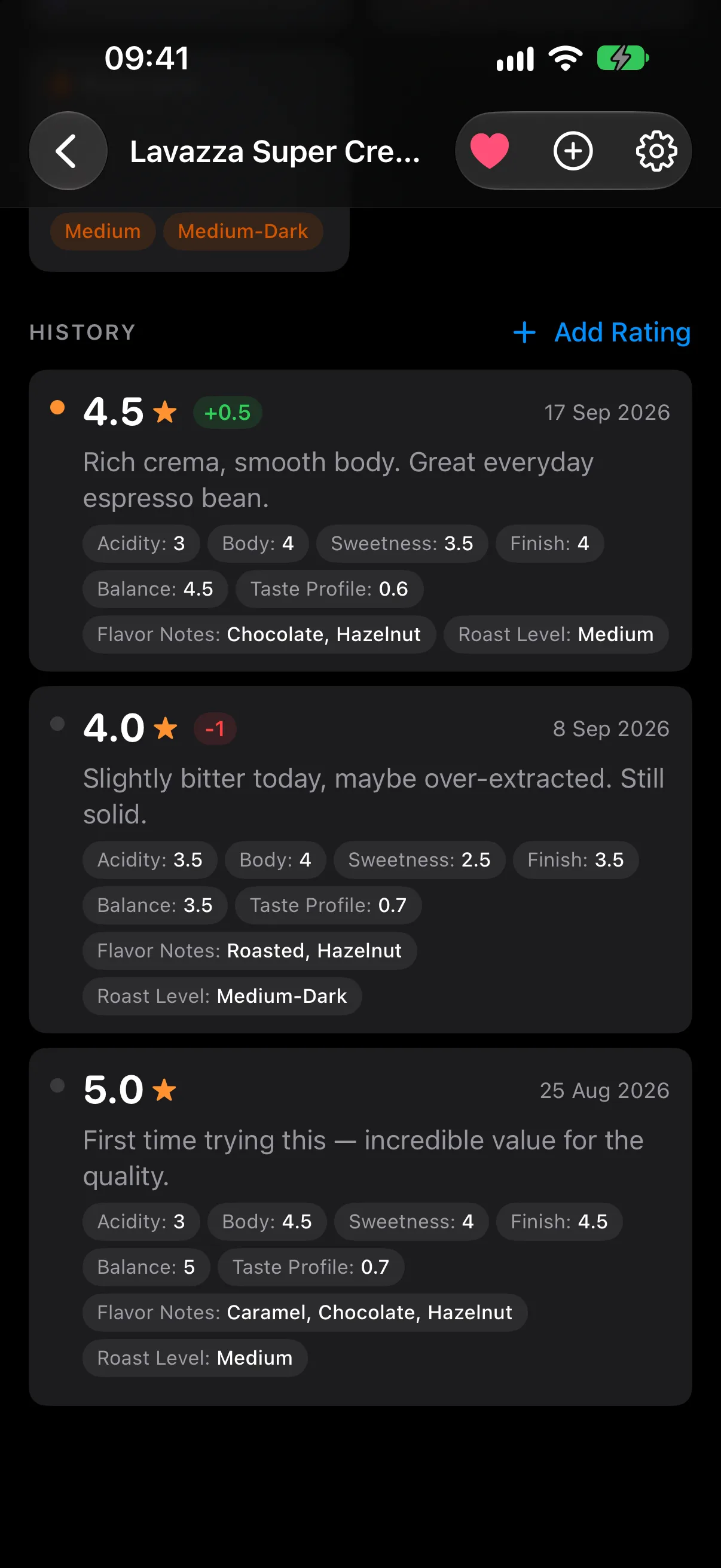
Open the item and tap Add Rating. Give the cup a star rating in half-star steps and write a short note. See how scanning works, or follow the getting-started guide.
What to write in a coffee tasting note
Choose the details that will help you make your next cup or purchase. You can write all of these in the ordinary notes field:
- The cup: what stood out — sweetness, acidity, body, bitterness, or a flavour you recognized.
- The brew: your method and the recipe you used, such as dose, water amount, and grind setting.
- The context: when you opened the bag and anything you changed since the last tasting.
- Your verdict: whether you would buy it again, and why.
Use the notes field for brewing details and record each cup’s rating yourself.
Rate the same coffee again
When you come back to those beans, open the existing item and add another rating. Your earlier notes stay with it. Compare tastings after changing your recipe, or look back before you order another bag. The rating trend gives you a quick view of how your verdict has changed.
Learn how ratings and review history work →
Start free; add tasting dimensions with Pro
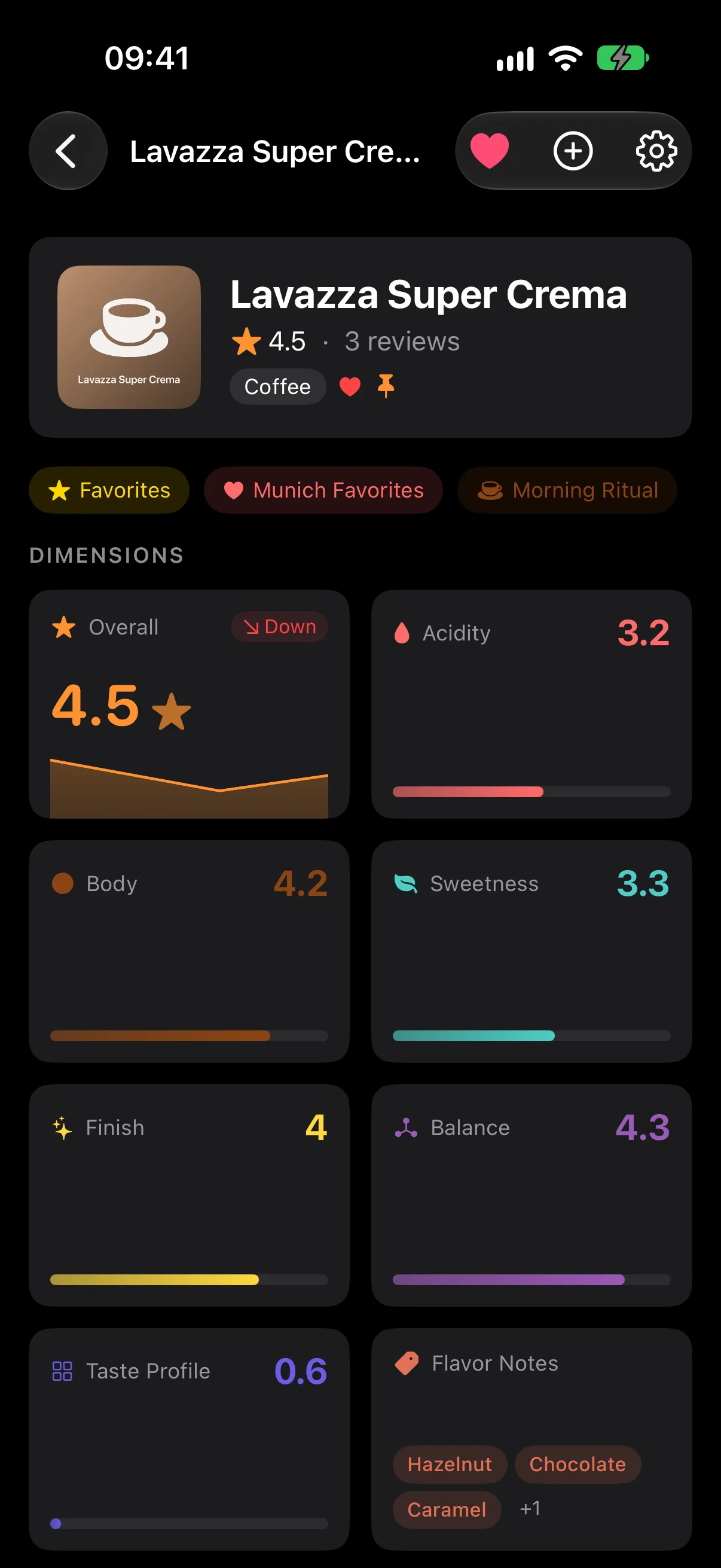
Unlimited items and reviews, star ratings, notes, camera scanning, rating trends, Favorites, iCloud sync, and CSV export are free. Pro adds custom dimensions and taste maps, custom and smart collections, advanced insights, and filtered export.
If you want separate scales for acidity or body, use the coffee preset with Pro. You can keep a useful journal with stars and written notes on the free plan. See the current free and Pro features.
Your notes stay yours
Use RateBud on iPhone or iPad with iOS 26 or later. Scanning and ratings work offline, and your library syncs through your private iCloud account when you reconnect. There is no RateBud account to create. CSV export lets you keep a copy of your journal outside the app.
Start with your next cup.
Add one coffee, one rating, and a note you’ll be glad to find again.
Download on the App Store