
Help
iCloud sync and export
Your data is yours: synced through your own iCloud, and exportable whenever you want it.
iCloud sync
If you're signed in to iCloud, your library syncs automatically across your own devices through your private iCloud database. There is no RateBud account to create and no server of ours holding your data — we can't see any of it.
Sync needs the same Apple Account on each device, and iCloud enabled for RateBud in the system Settings app. Changes can take a moment to appear; opening the app on the second device and leaving it open usually brings it current.
You can turn iCloud sync off in your device settings at any time, in which case the library simply stays local to that device.
Exporting as CSV
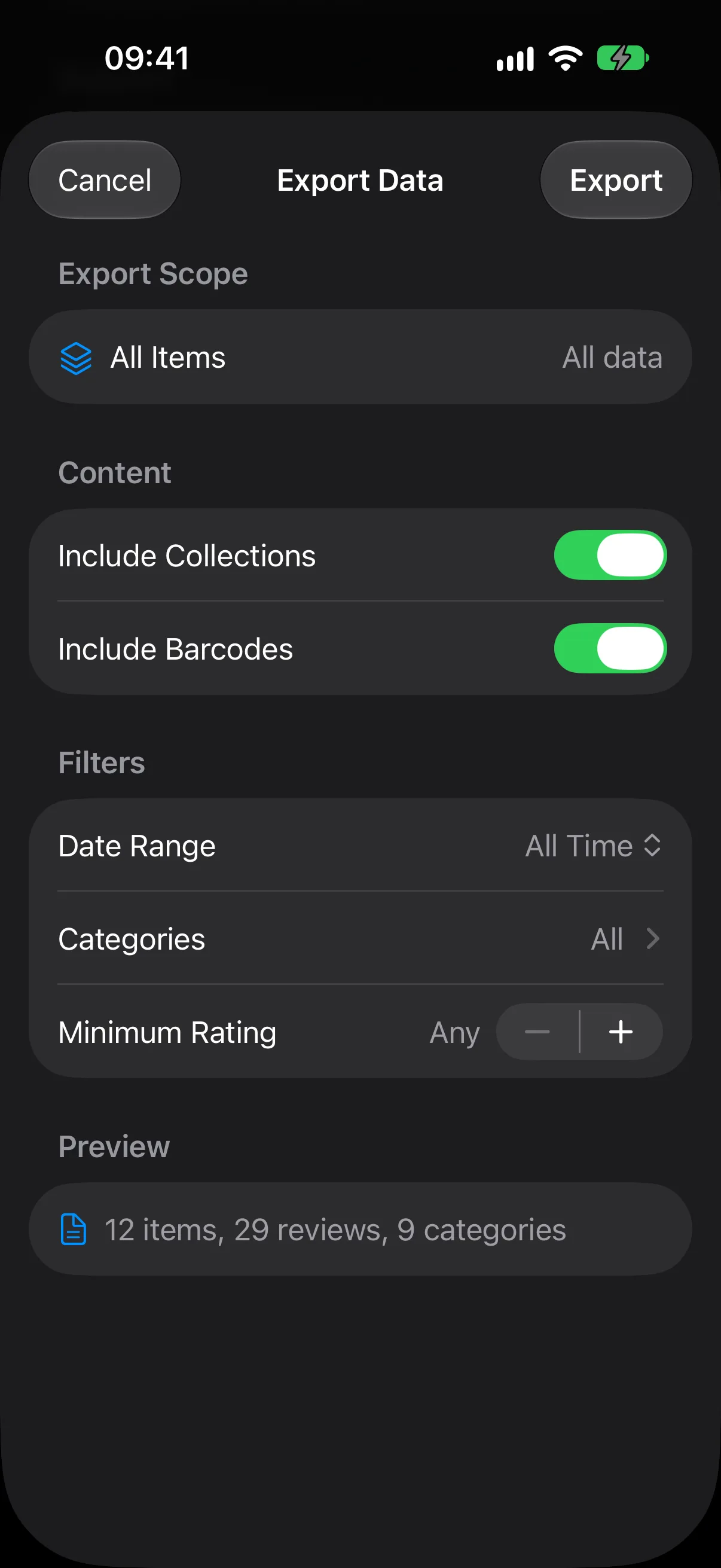
Open Settings → Export to write your library out as a CSV file, which you can then save or send anywhere — a spreadsheet, a backup, another app.
The basic export is free. Pro adds filtering, so you can narrow the export before you run it:
- A date range, either a preset or your own start and end dates.
- Particular categories.
- A minimum rating.
- A single collection rather than the whole library.
- Whether to include collection names and barcodes as columns.
The sheet previews how many items and reviews you're about to export before you commit to it.